
Website Tracking Setup
This guide matches ABM Sources → Website Visitor Tracking Setup.
Install
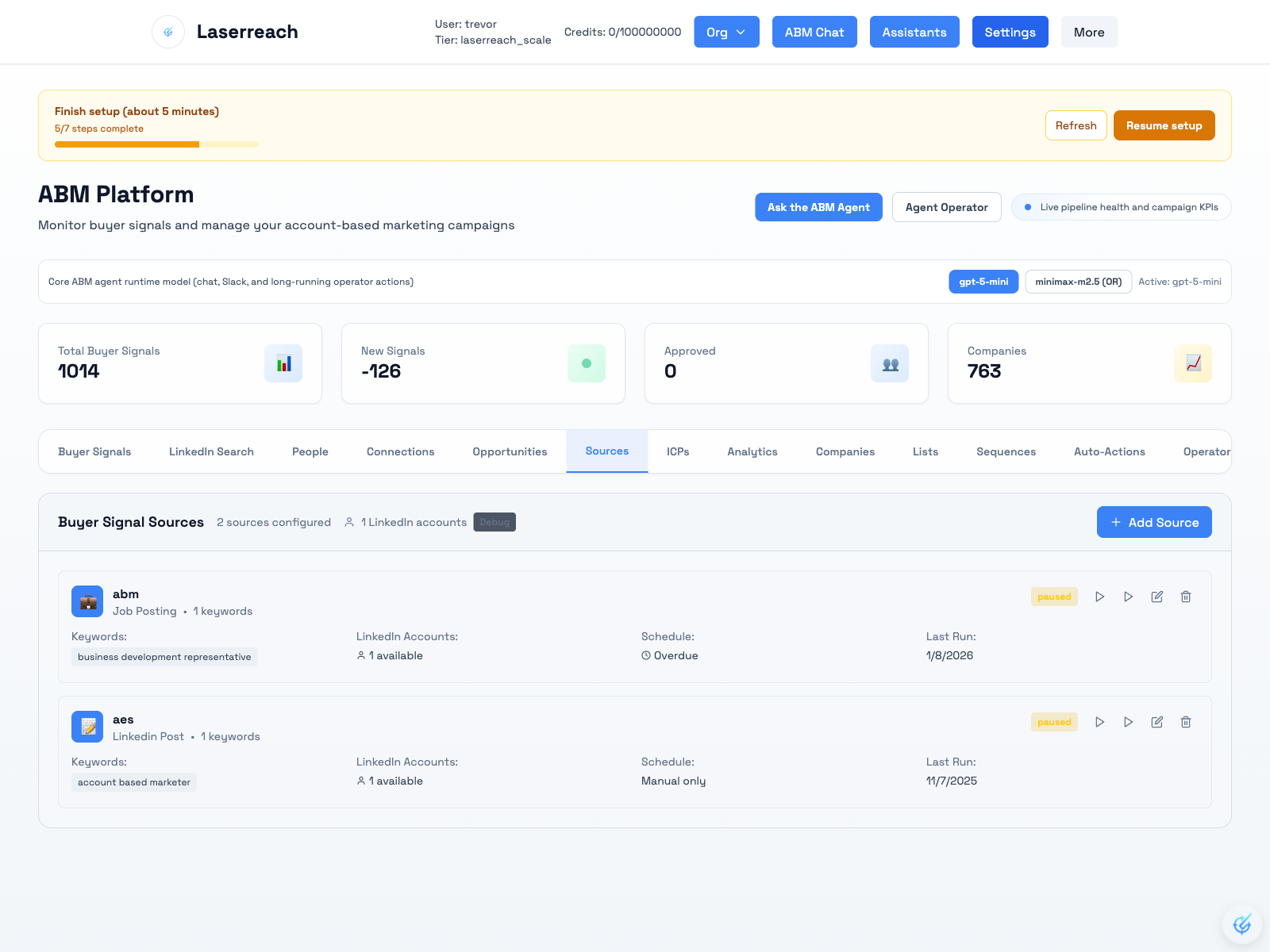
- Go to ABM in Laserreach.
- Open Sources, then click Add Source.
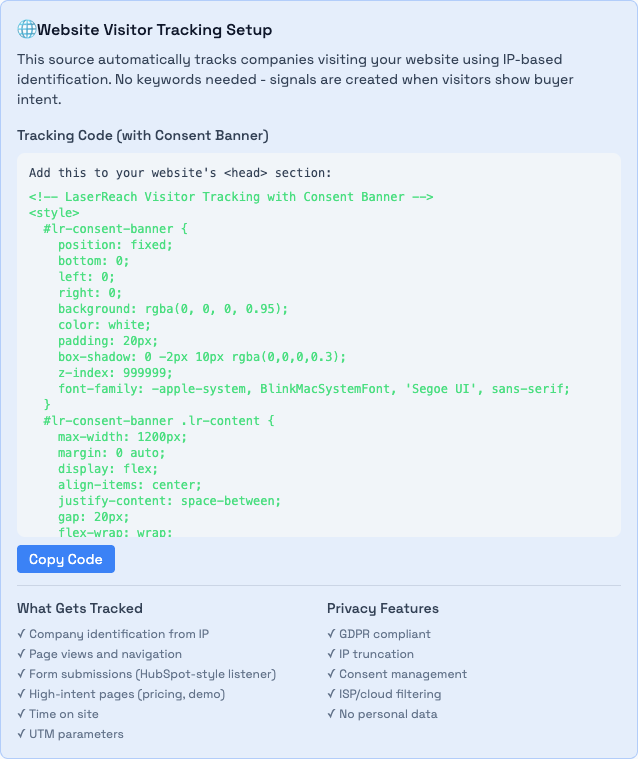
- Set Source Type to Website Visitor Tracking.
- Copy the tracking snippet and place it in your site's
<head>. - Keep your tenant ID in the snippet as the
tidquery parameter. - Choose whether to keep the consent banner enabled.
- Set a source name and click Create Source.
- If your site is an SPA, send route/state events to
POST /api/visitor-tracking/track.
Step 1: Open Sources
Step 2: Website Visitor Tracking Setup
https://api.laserreach.com/api/visitor-tracking/pixel.gif
  ?tid=<tenant_id>
  &url=<encoded_url>
  &title=<encoded_title>
  &ref=<encoded_referrer>
  &consent=<0_or_1>
  &gpc=<0_or_1>
  &utm_source=<utm_source>
  &utm_medium=<utm_medium>
  &utm_campaign=<utm_campaign>
Signal Creation Rules
- 2+ pages in one session.
- High-intent page view (pricing/demo/contact).
- 60+ seconds on site.
Modal-Listed Tracking Scope
- Company identification from IP.
- Page views, navigation, and UTM parameters.
- Form submissions via the form-listener script.
Privacy/legal compliance is your responsibility. Respect consent requirements and jurisdictional rules.